Scan, OCR, and edit PDFs in one app.
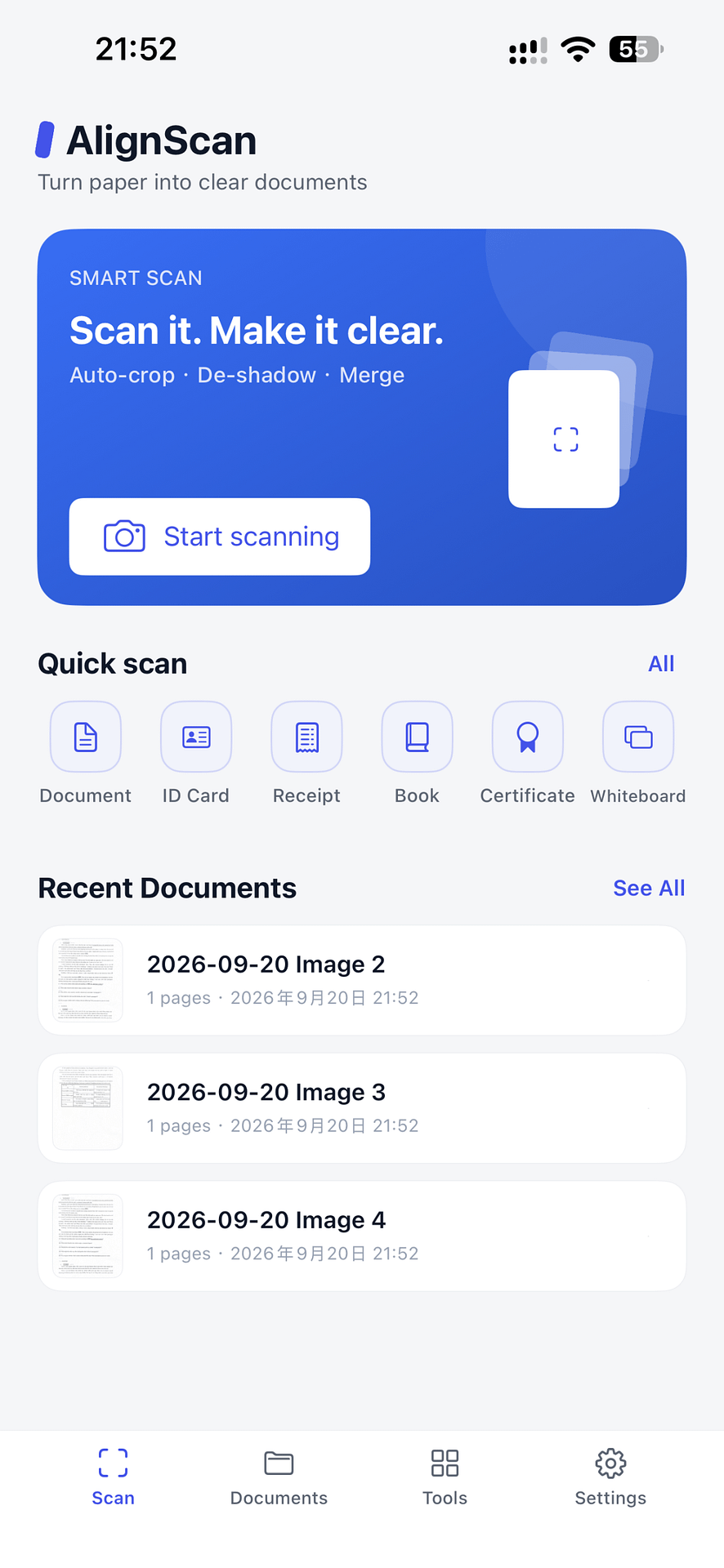
Automatically crop and straighten documents, extract text with OCR, and handle every PDF task — sign, merge, split, compress, protect, and convert — right on your iPhone or iPad. Core processing stays on your device.
From paper to a polished, usable file.
AlignScan keeps scanning, OCR, and PDF editing on your device — no account, no cloud upload unless you choose to share.
Detect and correct
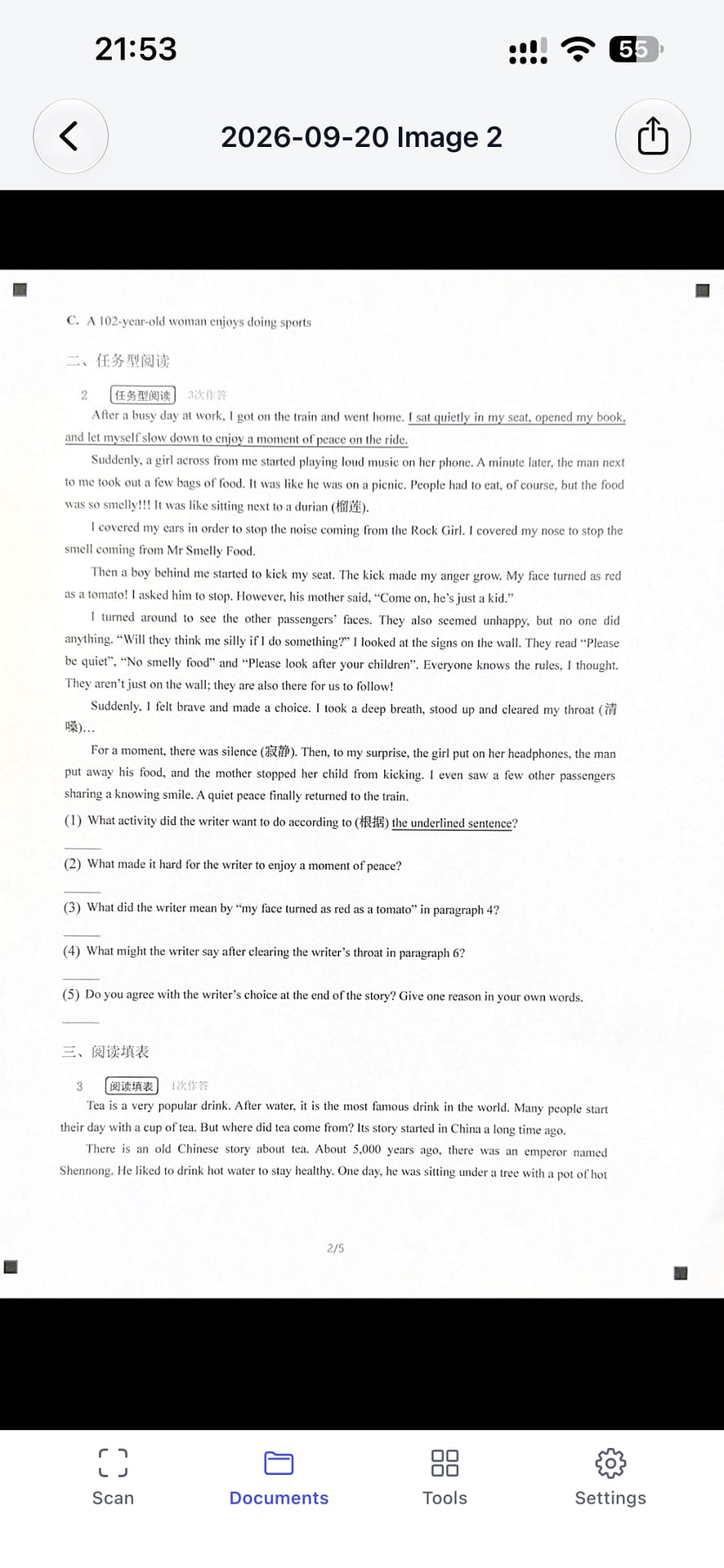
Automatically find document edges, crop extra background, and fix perspective for a flat, square page.
Enhance and OCR
Reduce shadows, improve readability with five filters, and extract text to copy or save as TXT.
Edit and export
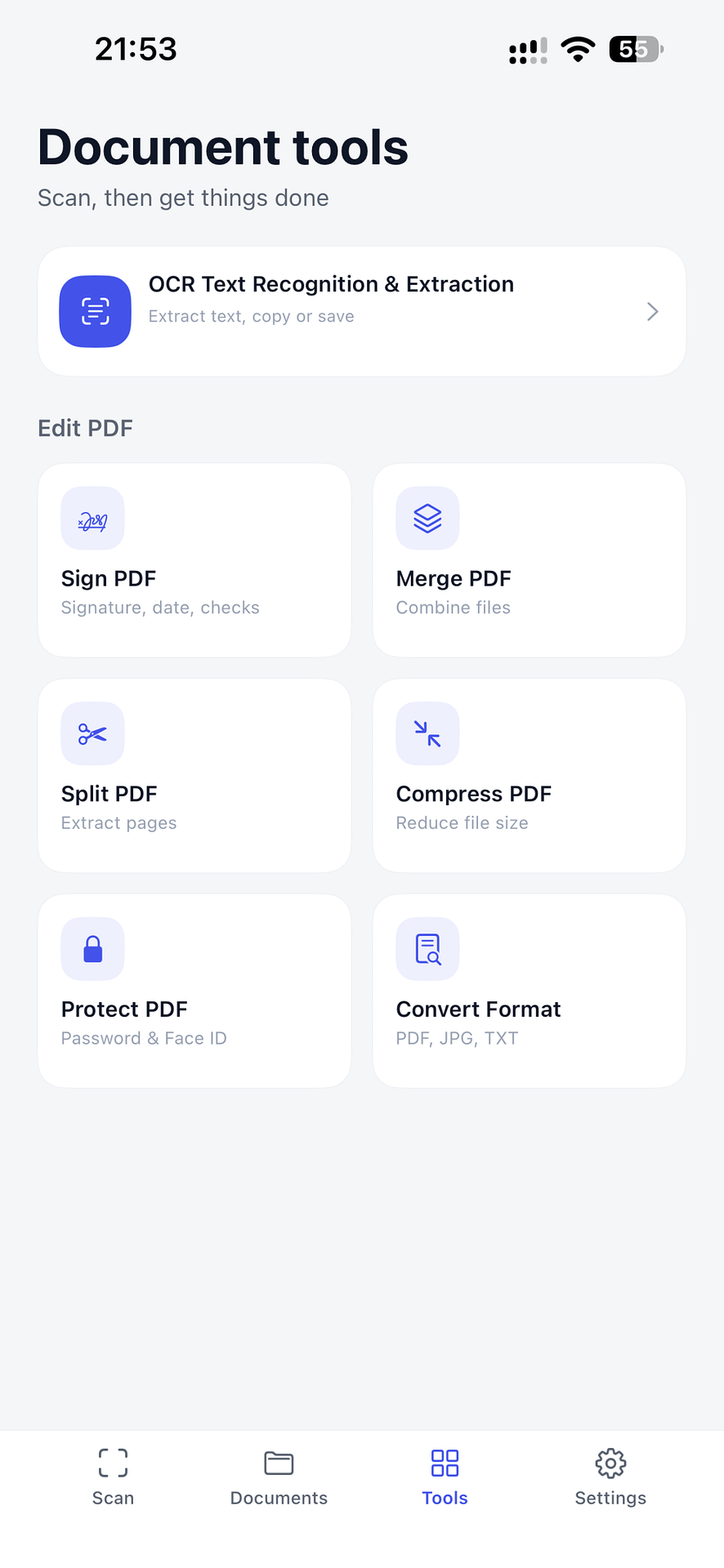
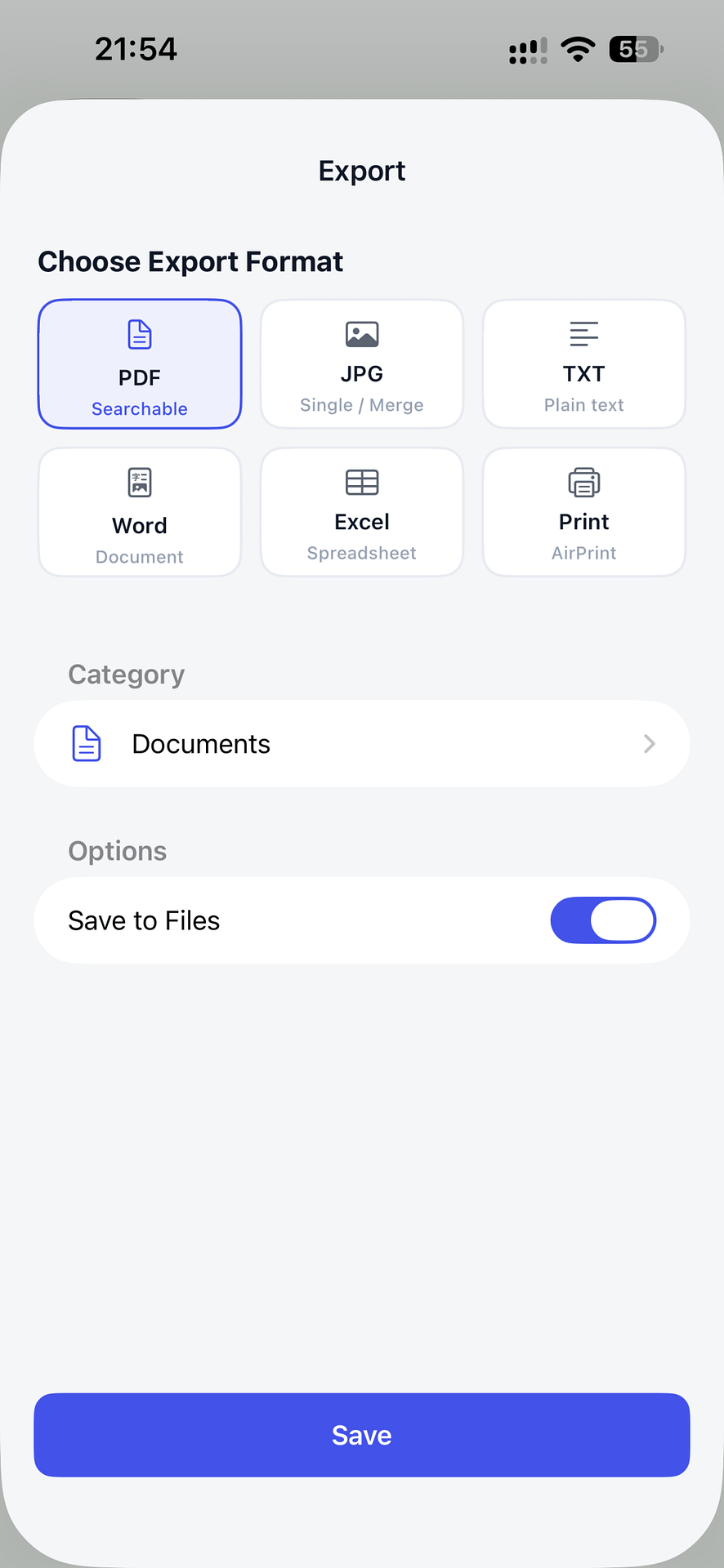
Sign, merge, split, compress, protect, or convert PDFs, then save JPG or multi-page PDF.
Everything your PDFs need, in one place.
After scanning, finish the job without switching apps.
Sign PDFs
Draw, type, or stamp a signature and place it anywhere on the page.
Merge PDFs
Combine multiple files or pages into a single document.
Split PDFs
Separate a PDF into individual pages or smaller files.
Compress PDFs
Shrink file size for easier emailing and sharing.
Protect PDFs
Encrypt a document with a password before sending it.
Convert PDFs
Turn a PDF into Word, Excel, image, or plain text.
From capture to a ready-to-use file.
A focused workflow for scanning, reviewing, extracting text, and exporting.
Built for the documents you handle every day.
Scan once, then search, organize, and edit without leaving the app.
School and homework
Scan notes, handouts, and test papers; extract text and convert to the format you need.
Contracts and reports
Sign, merge, compress, and password-protect professional documents.
Receipts and records
Digitize paper into searchable files organized in folders.
Private by design.
Your documents stay on your device unless you choose to share them.
On-device processing
Core scanning, OCR, and PDF formatting run locally. AlignScan only accesses the camera, photos, and local storage when needed.
Search and organize
Find documents by file name or content, and group them into folders such as work, ID, and receipts.
Scan, OCR, and edit PDFs wherever the work happens.
Download AlignScan for iPhone and iPad. Try it free with 20 saves, then choose a monthly or yearly subscription — or unlock everything with a one-time lifetime purchase.