Searchable Clipboard History for iPhone, iPad & Mac
ClipSave keeps the text and links you copy in a private, searchable clipboard history and syncs them through your own iCloud between iPhone, iPad, and Mac. No account, no advertising profile, and sensitive details such as verification codes are filtered out automatically.

Save it now. Find it when it matters.
ClipSave works with Apple’s privacy model instead of reading the mobile clipboard continuously in the background.
Paste or share
Save text and links with the in-app paste button, the system share extension, or Shortcuts.
Search and organize
Filter text and links, search your saved clips, and favorite the content you want to keep.
Sync through iCloud
Clips are stored in your private iCloud database, so the same history appears on your supported Apple devices.
Your saved content, organized and ready.
Move from a searchable clipboard history to a detailed view in a tap, with privacy controls built into the workflow.
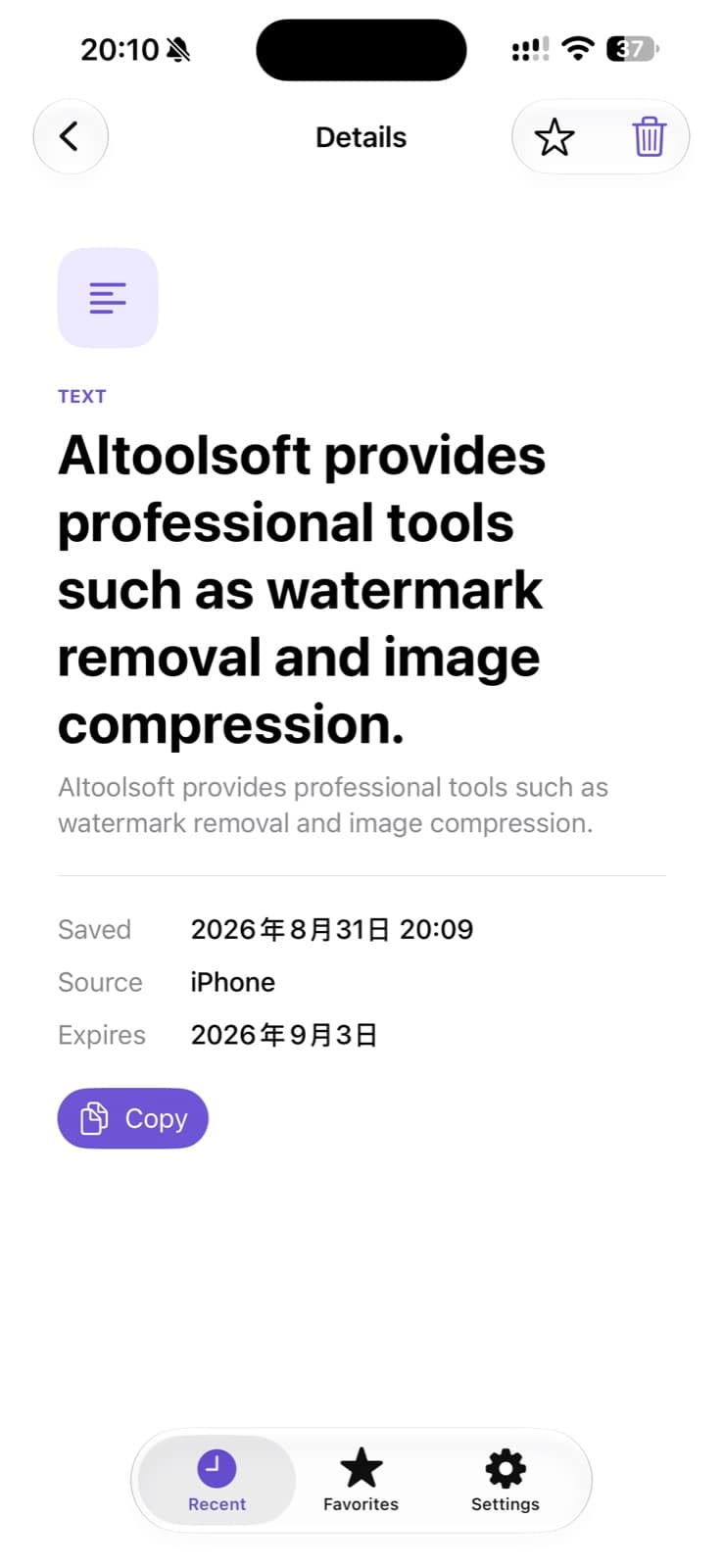
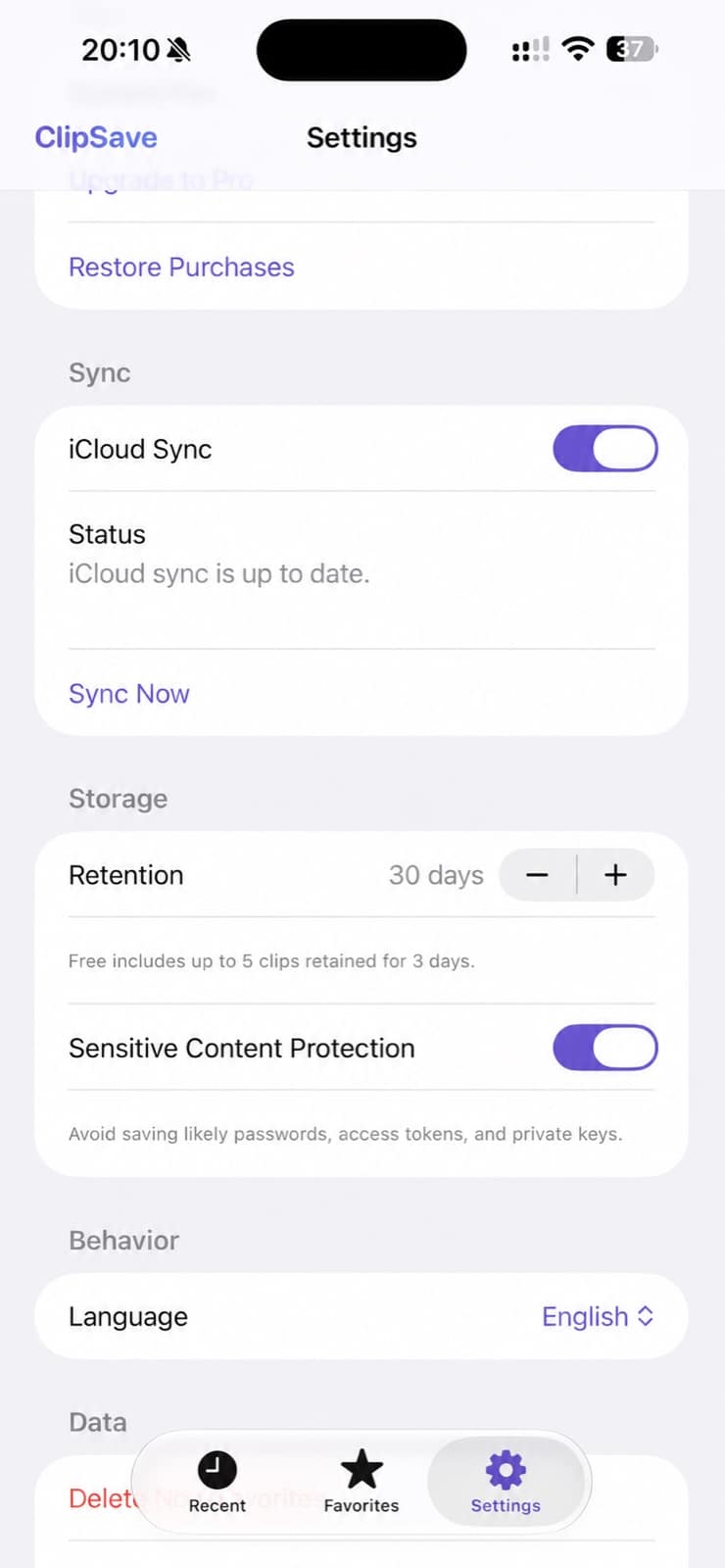
A clipboard history that works on every device you own.
ClipSave is built around Apple’s privacy rules — including what iOS allows on iPhone. Each platform saves clips in the way that fits it, and iCloud brings them together.
A quiet menu bar library
ClipSave lives in the macOS menu bar and records the text and links you copy while it is running, ready behind a click or shortcut whenever you need them.
Three simple ways to save
On iPhone and iPad, save clips with the in-app paste button, the Share sheet extension, or a Shortcut. iOS does not allow continuous background clipboard reading, and ClipSave does not pretend otherwise.
One searchable library
Find a link you copied on your iPhone days later from your Mac — or copy something on your Mac and open it on iPad. Your history syncs through your private iCloud database.
ClipSave vs Apple’s Universal Clipboard
Universal Clipboard only hands off your most recent copy between nearby devices for a couple of minutes, with no history and no search. On macOS 26 and later, Spotlight can show a short recent list — but it stays on your Mac and clears after at most seven days. Neither one keeps a lasting library that includes your iPhone.
| Universal Clipboard | ClipSave | |
|---|---|---|
| Lasting clipboard history | No — only the most recent copy | Yes — days of history, permanent favorites |
| Available on iPhone & iPad | For one-item handoff only | Yes — full searchable library |
| Search past clips | No | Yes, with text and link filters |
| Cross-device sync | One item, devices nearby, about 2 minutes | Whole history through private iCloud |
| Works without devices being close | No — Bluetooth and Wi‑Fi proximity required | Yes — syncs through iCloud |
| Sensitive content filtering | No | Codes, cards, and keys blocked by default |
| Price | Free | Free to start · Pro $0.99/month or $5.99 lifetime |
Built for the details you reuse.
A focused place for clipboard content that would otherwise be easy to lose.
Work snippets
Keep frequently reused text and links within reach during recurring tasks.
Links worth keeping
Save an article, booking, or reference link on iPhone and open it later on Mac.
Protect sensitive content
Likely verification codes, bank card numbers, access tokens, and private keys are excluded automatically.
Simple pricing, one purchase for every device.
Start free and upgrade only when you want a bigger, longer-lasting library. ClipSave is a universal purchase: one Pro upgrade covers iPhone, iPad, and Mac, and every clip you saved before upgrading stays in place.
Free
$0
- Your 5 most recent clips
- 3-day history retention
- Text and HTTP/HTTPS links
- Search with text and link filters
- iPhone, iPad, and Mac apps
ClipSave Pro
$0.99per month — or a $5.99 one-time lifetime purchase
- Everything in Free
- A full history beyond the latest 5 clips
- Retention beyond 3 days, with favorites kept permanently
- Universal purchase for iPhone, iPad, and Mac
- No account and no advertising
Clipboard history, privacy, and pricing.
What is ClipSave?
ClipSave is a clipboard history app for iPhone, iPad, and Mac. It saves the plain text and links you choose to keep in a searchable library and syncs them across your supported Apple devices through your private iCloud database. It requires iOS or iPadOS 18 or later on iPhone and iPad, and macOS 15 or later on Mac.
Does ClipSave automatically capture everything I copy on iPhone?
No. iOS only lets an app read the clipboard while you are actively using it, so ClipSave does not run hidden background capture on iPhone. You save clips with the in-app paste button, the Share sheet extension, or a Shortcut. On Mac, ClipSave runs in the menu bar and records the text and links you copy while the app is active.
What is the difference between ClipSave and Apple’s Universal Clipboard?
Universal Clipboard temporarily hands off your single most recent copied item between nearby Apple devices: it expires after about two minutes and keeps no searchable history. ClipSave keeps a retained, searchable clipboard history and syncs the whole library between your iPhone, iPad, and Mac through your private iCloud database.
What kind of content can I save with ClipSave?
The current version of ClipSave saves plain text and single HTTP or HTTPS links. Images, files, and rich text formatting are not supported in this version.
How does ClipSave protect sensitive information?
ClipSave detects and excludes likely two-factor verification codes, bank card numbers, API keys and access tokens, and PEM private keys by default, so they do not become part of your saved history. ClipSave also does not build advertising profiles.
Where is my data stored, and is ClipSave sync end-to-end encrypted?
Your clips are stored on your devices and in your private iCloud CloudKit database associated with your Apple ID. Aitoolsoft does not create accounts for ClipSave and operates no servers that hold your content; iCloud protects data in transit and at rest according to Apple’s own security model. ClipSave does not claim to provide end-to-end encryption.
How much does ClipSave Pro cost?
Pro is available as a $0.99 monthly subscription or a $5.99 one-time lifetime purchase. Prices are localized and presented by the App Store, and there is no free trial. It is a universal purchase, so one upgrade unlocks Pro on iPhone, iPad, and Mac using the same Apple ID.
Does upgrading to Pro delete my existing clips?
No. Upgrading keeps every clip you have already saved and simply removes the free plan’s limits: the five-item cap and the three-day retention window.
ClipSave is available for iPhone, iPad, and Mac.
Download ClipSave from the App Store and keep useful text and links available across your supported Apple devices.