

Few products in the Mac software world carry as much controversy as MacKeeper. Marketed aggressively for over a decade, it has been the subject of class-action settlements, regulator scrutiny, and ongoing debate about whether its price tag reflects genuine value or the cost of its marketing machine. On the other side stands CleanMac, a newer all-in-one cleaner that has built its reputation on the opposite approach: genuinely free, transparent, and privacy-respecting.
Short on space already? CleanMac finds junk, leftover apps, and duplicates on your Mac — and shows you exactly what it will remove before anything is deleted. Download free →
This comparison examines where MacKeeper and CleanMac differ on pricing, features, reputation, privacy, and overall value — and why, for most readers in 2026, the free option is the stronger choice.
What MacKeeper Offers
MacKeeper is a subscription-based utility suite from Kromtech (and now Clario, its successor brand) that bundles a wide range of features: disk cleanup, duplicate finding, an app uninstaller, a file recovery tool, a VPN, an ad blocker, identity theft protection, and 24/7 “human” support. On paper, the feature list is impressive — it covers cleaning, security, and privacy in one app.
The cleaning features work reasonably well. The disk cleaner finds junk files, the duplicate finder locates redundant copies, the smart uninstaller removes apps with leftovers, and the built-in VPN and ad blocker add real utility for some users. MacKeeper’s support team is also genuinely available around the clock, which is unusual in this category.
The problem is everything around the features. MacKeeper has historically been sold through aggressive pop-up ads, scareware-style marketing (“Your Mac has 1,247 problems!”), and bundled installers that arrived alongside other downloads. Its pricing is opaque: the advertised monthly rate often requires an annual commitment, the renewal price can jump sharply after the first year, and many users report difficulty canceling. The features themselves are fine; the business model around them is what makes MacKeeper controversial.
What CleanMac Does Differently
CleanMac takes the opposite approach on every axis where MacKeeper is controversial. It is genuinely free — not freemium, not a trial, not “free to scan, pay to clean” — with every module unlocked from the first launch. There is no subscription, no Pro tier, no in-app purchase, and no account requirement. The developer has committed to keeping it free with updates included.
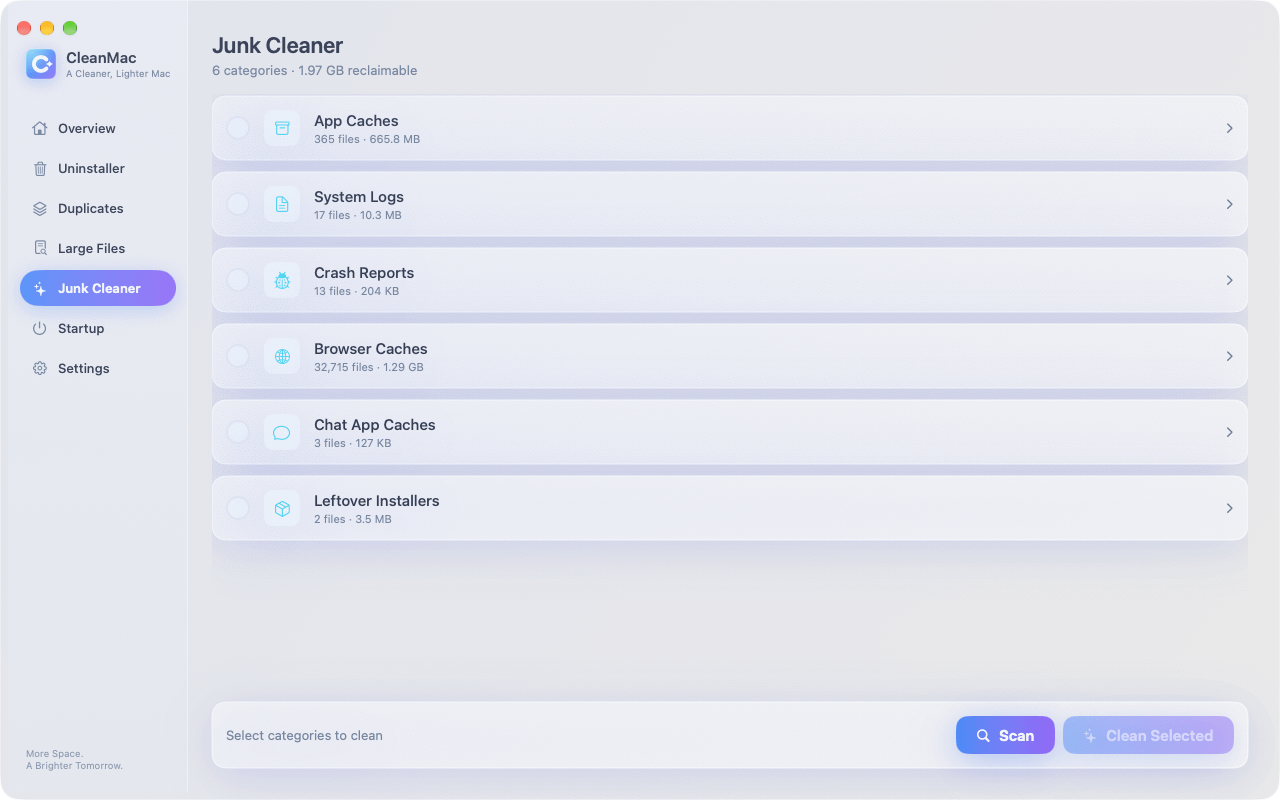
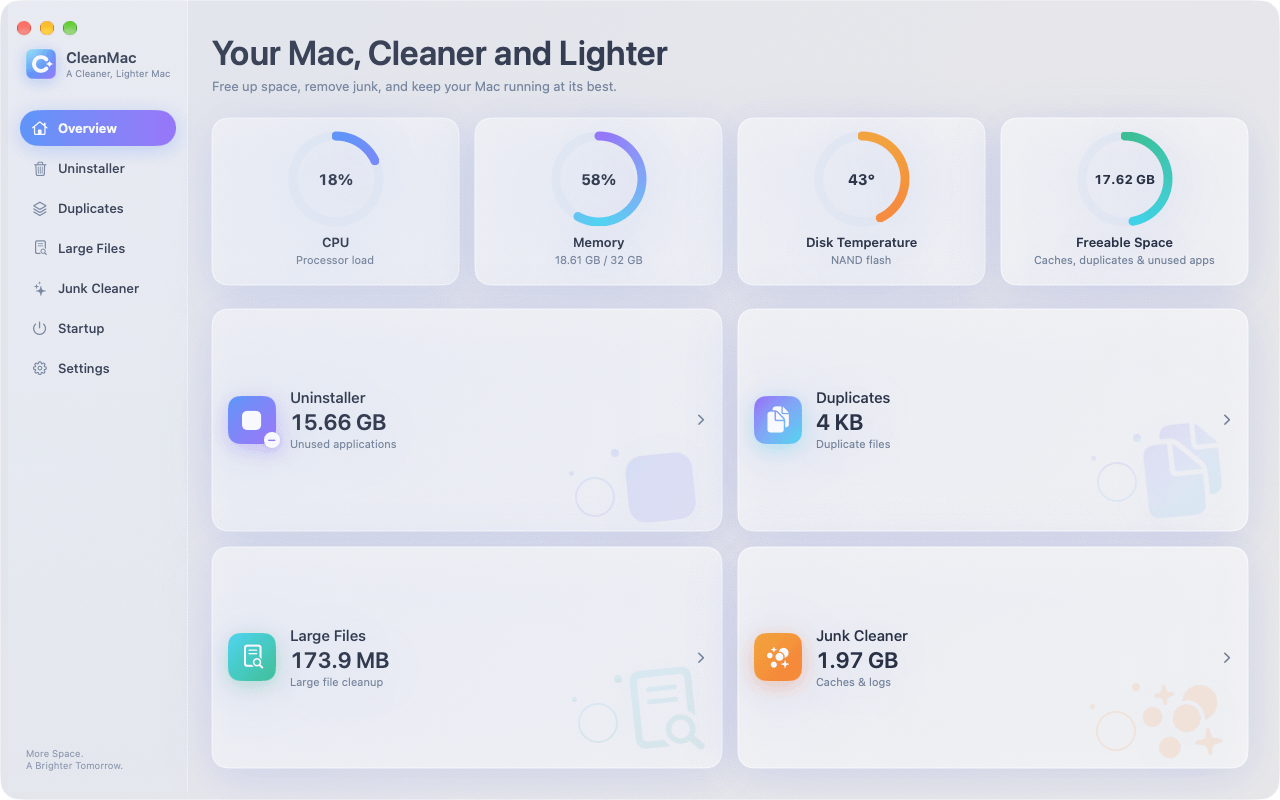
Feature-wise, CleanMac bundles six modules in one lightweight app: a system overview dashboard (live CPU load, memory pressure, disk temperature, freeable space), a junk cleaner (caches, logs, crash reports, browser caches, leftover installer packages — 14.2 GB found in testing on a well-used MacBook Pro), a complete app uninstaller with leftover detection including sandbox containers, a duplicate file finder that compares by content hash, a large file cleanup tool for files of 10 MB or larger, and a startup item manager for launch agents and daemons.
Where MacKeeper bundles cleaning with VPN, identity protection, and support, CleanMac focuses purely on cleaning and does it thoroughly. The trade-off is straightforward: if you want a VPN and identity theft protection bundled with your cleaner, MacKeeper offers that (at a price). If you want a cleaner that’s free, private, and safe, CleanMac is the clear choice.
Pricing Comparison
This is where the comparison becomes stark.
MacKeeper pricing
MacKeeper is sold as a subscription. Advertised rates hover around $5 to $15 per month, but the actual cost depends heavily on the plan length and whether you’re a new or renewing customer. Annual plans typically work out to roughly $60 to $120 per year, and multi-year commitments can push the effective monthly rate lower — at the cost of locking you in. Many users report that the renewal price is higher than the introductory price, and cancellation can require contacting support rather than clicking a button.
CleanMac pricing
CleanMac is completely free. There is no subscription, no trial countdown, no Pro tier, no in-app purchase, and no account. Updates are free. The app is free for personal and commercial use. Over three years, a MacKeeper subscription can cost $180 to $360; CleanMac costs $0 for the same period and covers the same core cleaning tasks.
For users who genuinely want the VPN, identity theft protection, and 24/7 support MacKeeper bundles, that subscription price may be justifiable — provided you understand what you’re paying for and how to cancel. For users who just want their Mac cleaned, the comparison is between paying $60+ per year and paying nothing.
Feature Comparison Table
| Feature | MacKeeper | CleanMac |
|---|---|---|
| Price | Subscription (~$60–$120/year) | 100% free |
| Junk cleaner | Yes | Yes (deeper in testing) |
| App uninstaller with leftovers | Yes | Yes (sandbox-aware) |
| Duplicate file finder | Yes | Yes (content hash) |
| Large file cleanup | Partial | Yes (10 MB+ sorted) |
| Startup item manager | No | Yes |
| System overview dashboard | Partial | Yes (CPU, memory, disk) |
| Built-in VPN | Yes | No |
| Ad blocker | Yes | No |
| Identity theft protection | Yes | No |
| File recovery | Yes | No |
| 24/7 human support | Yes | Community/FAQ |
| Local-only, no account | No (account required) | Yes |
| No upsell | No (subscription) | Yes |
Reputation Comparison
Reputation is where MacKeeper carries the heaviest baggage. Over the years, MacKeeper has been the subject of a 2014 class-action lawsuit alleging false advertising and aggressive marketing, a 2015 settlement, ongoing criticism from Mac security researchers, and inclusion on multiple “avoid” lists maintained by reputable Mac publications. The product itself has improved and the company has restructured under the Clario brand, but the reputation lingers — and the marketing tactics (pop-ups, scareware-style alerts, bundled installers) have not entirely disappeared.
CleanMac has built its reputation on the opposite foundation. No pop-up ads, no scareware alerts, no bundled installers, no account requirement, and no aggressive upsell. The app is distributed through its official site and trusted download channels, with a clear privacy policy and a notarized build. Its reputation is still being established (it’s newer than MacKeeper), but it has earned trust by doing the things MacKeeper has historically failed at: transparent pricing, local-only processing, and a no-nonsense interface that never invents fake “problems” to scare you.
For users who care about who they’re giving money and disk access to, the reputation difference is significant. A cleaner reads every file on your Mac; trusting that cleaner is a higher-stakes decision than trusting, say, a notes app.
Privacy Comparison
A Mac cleaner has deep access to your filesystem, which makes privacy a serious consideration rather than a nice-to-have.
MacKeeper requires an account, sends telemetry, and routes some features (VPN, identity protection, support) through its servers. That’s not inherently malicious — the VPN and identity features genuinely need network access to function — but it means MacKeeper is a networked product by design. Some users are comfortable with that trade-off; others are not.
CleanMac runs entirely locally. There is no account, nothing is uploaded, and no analytics touch your files. We verified this with a network monitor during scanning and cleaning: zero outbound connections. Every scan runs on your Mac, every deletion moves to your local Trash, and the app never needs the internet to do its job. For users who want a cleaner that cannot, by design, send their file inventory anywhere, CleanMac’s local-only model is the stronger guarantee.
Value Comparison
Value isn’t just about price — it’s about what you get for what you pay. MacKeeper’s value case rests on the bundle: if you were going to buy a VPN, an ad blocker, identity theft protection, and a Mac cleaner separately, MacKeeper’s subscription can look like a reasonable package. For that specific user, MacKeeper may be worth the cost.
CleanMac’s value case is that it covers the cleaning tasks MacKeeper covers — junk, uninstaller, duplicates, large files — plus a startup manager and a system dashboard, all at no cost. If you don’t need the VPN, ad blocker, or identity protection (or you already have them from another provider like your antivirus or a standalone VPN), paying $60+ per year for MacKeeper’s cleaning features alone is a poor deal when CleanMac offers the same for free.
For most readers, the value calculation favors CleanMac. The features MacKeeper adds beyond cleaning are available from dedicated, often cheaper or free, providers — and a cleaner that costs nothing and uploads nothing is hard to beat on raw value.
Conclusion
MacKeeper and CleanMac represent two fundamentally different approaches to Mac maintenance. MacKeeper bundles cleaning with VPN, ad blocking, identity protection, and support — at a subscription price, with a controversial marketing history, and with a networked, account-based design that not every user will accept. CleanMac focuses purely on cleaning — junk, uninstaller, duplicates, large files, startup items, and a system dashboard — at no cost, with local-only processing and a transparent, no-upsell model. For most readers in 2026, the free and private option is the stronger choice: download CleanMac, run your first scan, and you’ll cover the core cleaning tasks without the subscription or the baggage. For more free Mac utilities we’ve reviewed, browse our app collection.
Frequently Asked Questions
Is MacKeeper worth paying for?
MacKeeper can be worth it only if you specifically want its bundled VPN, ad blocker, identity theft protection, and 24/7 support in one subscription. If you only need Mac cleaning, the subscription price is hard to justify when CleanMac offers the same core cleaning features for free. Most users are better off with a dedicated free cleaner and separate tools for VPN and identity protection if they need them.
Is MacKeeper safe to install?
MacKeeper itself is not malware and its current version is a legitimate product, but its reputation is mixed due to aggressive historical marketing and a class-action settlement. The app requires an account and sends telemetry, which some users consider a privacy trade-off. CleanMac runs entirely locally with no account and no uploads, which is the safer privacy posture for a tool that reads your entire disk.
Does MacKeeper or CleanMac clean junk better?
In our testing, CleanMac’s Junk Cleaner found more cleanable data than MacKeeper on the same machine, roughly 14.2 GB versus a smaller haul. Both apps cover caches, logs, and crash reports, but CleanMac’s categorization is more thorough on leftover installer packages and chat app caches. For junk cleaning specifically, CleanMac is the stronger tool and costs nothing.
Can I use MacKeeper and CleanMac together?
You can install both, but running two cleaners that touch the same cache and log categories in the same session can be confusing and occasionally causes apps to rebuild data they need. If you keep a MacKeeper subscription for its VPN or identity features, you can still run CleanMac for cleaning, but review each tool’s flagged items independently before committing. Most users only need one cleaner.
Why is CleanMac free when MacKeeper charges?
CleanMac is free because its developer has committed to a free, no-upsell model rather than a subscription business. There is no Pro tier, no in-app purchase, and no account requirement, and updates are included. MacKeeper charges because it bundles cleaning with VPN, identity protection, and support, and because its business model is subscription-based. Different business models, different prices.
Does MacKeeper find duplicate files?
MacKeeper does include a duplicate file finder that works reasonably well for basic deduplication. CleanMac’s Duplicate Finder compares files by content hash, shows copies side by side, and always preserves one copy safely, which is the same standard. For deduplication specifically, both tools handle the task, but CleanMac does it at no cost.
Is CleanMac really completely free with no hidden cost?
CleanMac is genuinely 100% free with every module unlocked from the first launch, including the junk cleaner, app uninstaller, duplicate finder, large file cleanup, startup manager, and system dashboard. There is no trial countdown, no Pro tier, no in-app purchase, no subscription, and no account. We verified during testing that no feature is locked behind a paywall and no upsell appears at any point in the workflow.


