

If you’ve ever searched for a free Mac maintenance tool, you’ve probably landed on two names: OnyX, the venerable power-user utility from Titanium Software, and CleanMac, the modern all-in-one cleaner that has built its reputation on being genuinely free and approachable. Both are free, both are reputable, and both have loyal followings — but they target completely different users and solve the “Mac maintenance” problem in very different ways.
Short on space already? CleanMac finds junk, leftover apps, and duplicates on your Mac — and shows you exactly what it will remove before anything is deleted. Download free →
This comparison lays out what each tool does, where OnyX’s technical depth shines, where CleanMac’s user-friendly design wins, and which one you should install based on your comfort level and what you actually want to accomplish.
What OnyX Does Well
OnyX is less a “cleaner” and more a control panel for macOS internals. Developed by Titanium Software and updated religiously for every macOS release, it gives you access to maintenance and rebuild functions that no other free tool offers in one place. You can verify the startup disk, rebuild the Spotlight index and LaunchServices database, run system maintenance scripts on demand, clear system and font caches, manage hidden system and app preferences, and tweak dozens of settings Apple doesn’t expose in System Settings.
For power users, OnyX is a treasure. The Maintain pane and Rebuild pane cover the kind of maintenance work that used to require terminal commands — and OnyX packages it into a (dense) graphical interface. The app is donationware, completely free, with no nag screens or upsells. Its track record spans more than two decades, and it’s trusted by Mac administrators and IT professionals who know exactly what each checkbox does.
The catch is the learning curve. OnyX’s interface is functional but dense, with tabs and checkboxes labeled in technical language. It’s entirely possible to check a box you don’t understand, run a maintenance script, and change system behavior in ways you didn’t intend. The app also requires you to download a version specifically matched to your macOS release — install the wrong one and it will refuse to run or, worse, behave unpredictably. And critically, OnyX does not include an app uninstaller, a duplicate file finder, a large-file browser, or a startup item manager. It’s a maintenance scalpel, not an all-in-one cleaner.
What CleanMac Does Differently
CleanMac takes the opposite design philosophy: make every common cleaning task obvious, safe, and bundled into one app. Where OnyX asks you to understand what each script does, CleanMac surfaces categorized results (caches, logs, app leftovers, duplicates) and previews each item before removal. Where OnyX requires you to pick the version matched to your macOS release, CleanMac ships a single build that runs on macOS 13 Ventura and later, on both Intel and Apple Silicon.
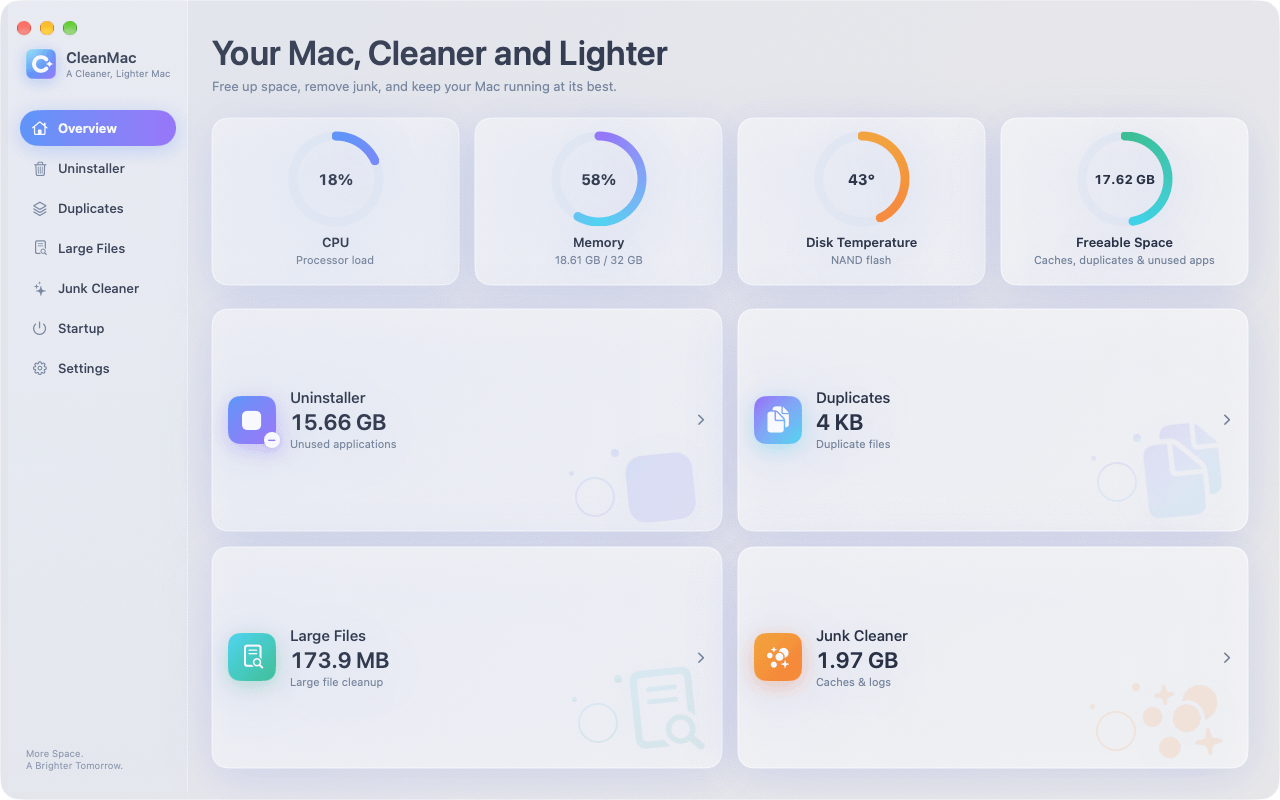
CleanMac bundles six modules: a system overview dashboard (live CPU, memory pressure, disk temperature, and freeable space), a junk cleaner, a complete app uninstaller with leftover detection, a duplicate file finder (compares by content hash), a large file cleanup tool, and a startup item manager. Every module is unlocked from the first launch, with no trial, no Pro tier, and no subscription. In testing on a well-used MacBook Pro, the first scan found 14.2 GB of safe-to-remove junk and surfaced six apps that hadn’t been opened in over 30 days.
Where OnyX shines on depth, CleanMac shines on breadth and approachability. The junk cleaner clears caches, logs, crash reports, browser caches, and leftover installer packages — categories that OnyX handles too, but with more manual category selection. The Uninstaller is something OnyX doesn’t offer at all: it removes applications together with their support folders, caches, preferences, and containers. The Duplicate Finder and Large File Cleanup modules are likewise absent from OnyX.
Feature Comparison Table
| Feature | OnyX | CleanMac |
|---|---|---|
| Price | Free (donationware) | 100% free |
| Disk verification and repair | Yes | No |
| Spotlight / LaunchServices rebuild | Yes | No |
| Maintenance scripts (on demand) | Yes | No |
| Hidden system settings toggles | Yes (dozens) | No |
| Junk cleaner (caches, logs) | Yes (manual selection) | Yes (auto-categorized) |
| App uninstaller with leftovers | No | Yes |
| Duplicate file finder | No | Yes |
| Large file cleanup | No | Yes |
| Startup item manager | Partial (login items) | Yes (launch agents + daemons) |
| System overview dashboard | Partial | Yes (CPU, memory, disk) |
| Ease of use | Technical, dense | Beginner-friendly |
| macOS version support | Version-matched (many releases) | 13 Ventura+ |
| Local-only, no account | Yes | Yes |
Ease of Use Comparison
This is where the two tools diverge most sharply. OnyX opens to a dense window with tabs labeled things like “Maintain,” “Rebuild,” “Cleaning,” “Parameters,” and “Reset.” Each tab contains checkboxes and buttons with technical labels — “Rebuild LaunchServices database,” “Delete .DS_Store files,” “Rebuild Spotlight index.” For a Mac administrator, these are precise and welcome. For a first-time Mac owner who just wants to free up some disk space, they’re intimidating and potentially dangerous, because OnyX won’t stop you from running a script you don’t understand.
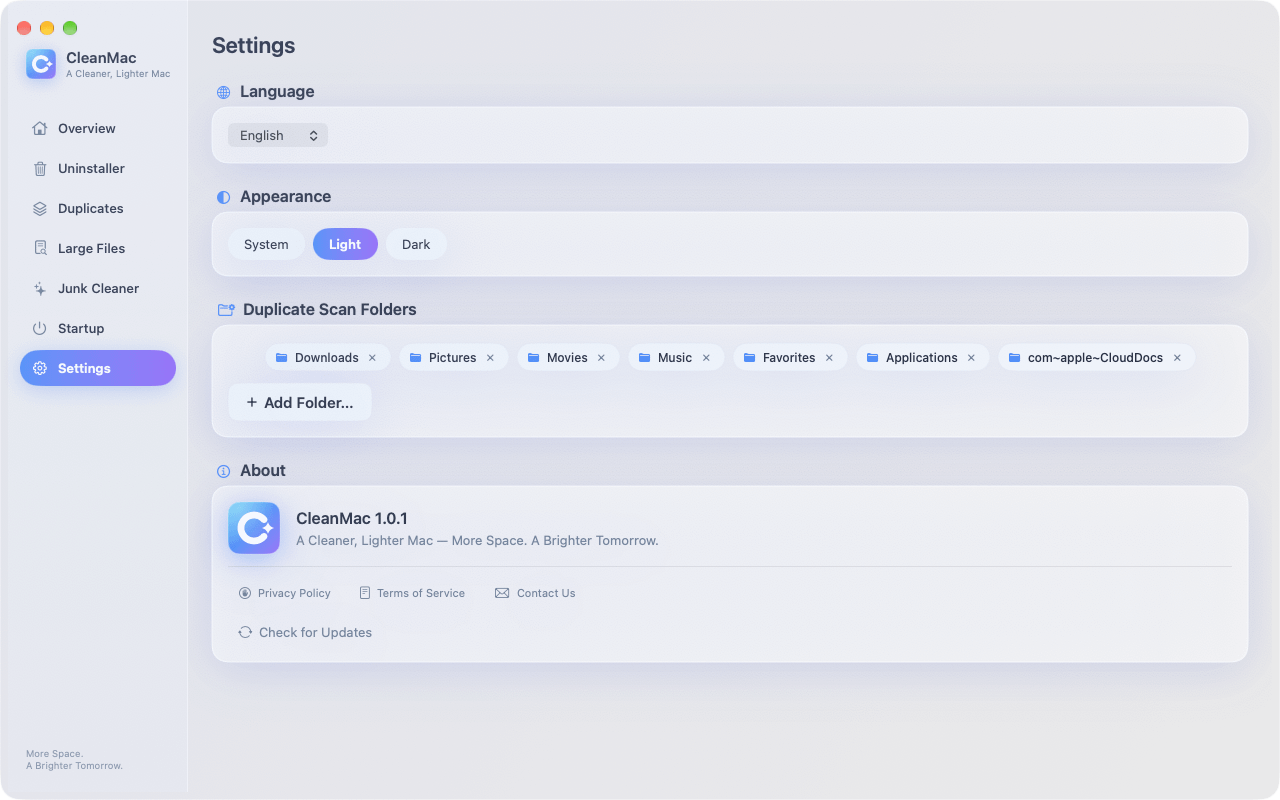
CleanMac opens to a dashboard that shows you, at a glance, how much space can be freed, how hard your CPU is working, and how much memory pressure you’re under. Each module is a single click away, results are previewed before any action, and selected items move to the Trash (not permanent deletion) so you can recover if you change your mind. The categories are labeled in plain language (“Junk Files,” “Duplicates,” “Large Files,” “Unused Apps”) and the app explains what each category contains before you commit to removing anything.
For most users — the ones who don’t know what a LaunchServices database is and don’t want to — CleanMac’s design is clearly more approachable. OnyX’s design is fine for the small audience that already understands its vocabulary.
Target Audience
OnyX is built for advanced users, IT professionals, and Mac enthusiasts who understand macOS internals and want direct control over maintenance and rebuild operations. If you’ve ever opened Terminal to run `mdutil` or `update_dyld_shared_cache`, OnyX packages those commands into a GUI you’ll appreciate. It’s also valuable for users on older macOS releases, because Titanium Software publishes a build for each version going back many years.
CleanMac is built for everyone else — first-time Mac owners, busy professionals, students, and anyone who wants their Mac maintained without studying system architecture. It’s also a strong choice for power users who simply don’t want to run five different tools; CleanMac’s six modules cover the everyday cleaning tasks that OnyX doesn’t (uninstaller, duplicates, large files, startup manager). Many advanced users keep both: OnyX for deep maintenance and rebuilds, CleanMac for the routine cleaning passes.
Safety Comparison
Both apps are safe when used as intended, but they pose different risks. OnyX gives you direct access to system-level operations, which means a careless click can rebuild an index, reset a preference, or clear a cache you actually needed. The app doesn’t preview what each script will do in plain language — it expects you to know. It also doesn’t move things to the Trash; some operations clear caches permanently and immediately. For users who know what they’re doing, that’s fine. For users who don’t, it’s a liability.
CleanMac follows a preview-first, Trash-based model: every result is shown before removal, you select exactly what to remove, and selected items go to the Trash rather than being permanently erased. If you change your mind, restore from the Trash. The app also focuses on known-safe categories (caches, logs, app leftovers, duplicates with one copy preserved) and refuses to flag system-critical files. For non-technical users, that guardrail is the difference between confident cleaning and anxious clicking.
Privacy is a tie. Both OnyX and CleanMac run entirely locally, require no account, and upload nothing. We verified CleanMac’s privacy claim with a network monitor during scanning and cleaning and saw zero outbound connections. OnyX has a long-standing reputation for the same.
Where OnyX Still Wins
There are tasks OnyX does that CleanMac simply doesn’t attempt, and they matter for some users. Rebuilding the Spotlight index fixes search results that have gone stale after major migrations or OS upgrades. Rebuilding LaunchServices resolves “Open With” menus cluttered with duplicate or broken app entries. Running maintenance scripts on demand clears logs that macOS normally handles on a daily, weekly, or monthly schedule — useful if your Mac sleeps at night and the scripts never run automatically. Resetting hidden system preferences lets you fix odd behaviors that GUI settings don’t expose.
If you’re troubleshooting a misbehaving Mac at the system level, OnyX is the better tool. If you’re cleaning up disk space and removing old apps and files, CleanMac is the better tool. The two tools are complementary more than they are competitive.
Conclusion
OnyX and CleanMac are both free, both reputable, and both excellent at what they do — but they target different users and solve different problems. OnyX is the power user’s maintenance scalpel, the right choice for advanced users who want direct control over macOS rebuild and maintenance operations and don’t mind a steep learning curve. CleanMac is the better starting point for most readers because it covers every common cleaning task — junk, uninstaller, duplicates, large files, startup items, and a system dashboard — in one beginner-friendly, safe, private app at no cost. If you only install one, start with CleanMac, run your first scan, and decide later whether you also need OnyX’s depth. For more free Mac utilities we’ve reviewed, browse our app collection.
Frequently Asked Questions
Is OnyX really free to use?
OnyX is completely free as donationware, with no nag screens, no upsells, and no locked features. The developer accepts donations but never requires them, and every function works from the first launch. CleanMac is similarly free with all six modules unlocked, so cost is not a differentiator between the two tools.
Which tool is better for a non-technical Mac user?
CleanMac is the better choice for non-technical users because it categorizes cleaning tasks in plain language, previews every item before removal, and moves selected files to the Trash rather than permanently erasing them. OnyX exposes system-level scripts and hidden preferences with technical labels, which makes it easy for an unfamiliar user to run an operation they don’t understand. Most first-time Mac owners will be happier with CleanMac’s guardrails.
Does OnyX include an app uninstaller?
OnyX does not include an app uninstaller with leftover detection, which is one of its biggest gaps for everyday cleaning. CleanMac ships a complete uninstaller that removes applications together with their support folders, caches, preferences, and containers. If you regularly install and remove apps, CleanMac is the more practical choice.
Can I run OnyX and CleanMac on the same Mac?
Yes, the two tools coexist peacefully because both run on demand rather than installing always-on background agents. Many advanced users keep OnyX for deep maintenance and rebuild operations and run CleanMac for routine junk, duplicate, and large-file cleanup. Running both gives you the depth of OnyX and the breadth of CleanMac without any conflict.
Which tool is better for an older Mac?
OnyX is better for genuinely old Macs because Titanium Software publishes a build matched to each macOS release going back many years, including versions that CleanMac cannot run on. CleanMac requires macOS 13 Ventura or later, so it is restricted to roughly 2017 to 2018 machines and newer. If your Mac is stuck on an older macOS release, OnyX will run where CleanMac will not.
Does OnyX find duplicate files?
OnyX does not include a duplicate file finder, so users who want to deduplicate their photo libraries or Downloads folders need a separate tool for that. CleanMac ships a Duplicate Finder that compares files by content hash, shows copies side by side, and always keeps one copy safe. For deduplication specifically, CleanMac is the clear choice.
Is OnyX safe to use?
OnyX is safe when used by someone who understands what each maintenance script and rebuild operation does, and the app has a two-decade track record with no history of damaging systems. The risk is user error rather than software error, because OnyX won’t stop you from running an operation you don’t understand or clearing a cache you actually needed. CleanMac’s preview-first, Trash-based model is harder to misuse, which makes it safer for less technical users.


